AGENTIC ENGINEERING
Orkes Conductor Embeddings Explained: The Tasks Behind Semantic Search & AI Workflows

Maria Shimkovska
Content Engineer
Last updated: November 25, 2025
November 25, 2025
5 min read


.png)
Dec 4, 2025

Dec 2, 2025
Nov 26, 2025
Join thousands of developers building the future with Orkes.
Here’s a quick and easy rundown of how to use Orkes Conductor’s LLM embedding tasks to turn your text into vectors, store them in a database, and use them for things like semantic search, recommendations, and smarter routing in your workflows.
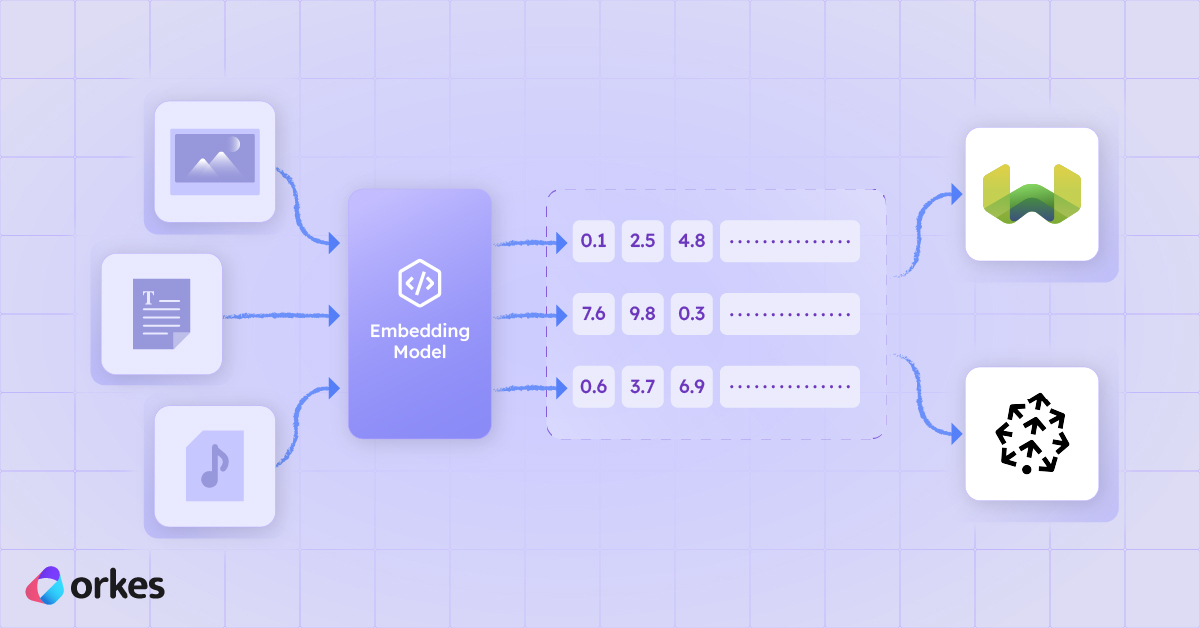
If you've read recent articles on vector embeddings and vector databases you may be curious about what tasks we have available for you to work with embeddings in your workflows. This article goes exactly over those.
But first, a quick refresher: what are embeddings, really?
Embeddings turn text into numerical vectors (for example, the word "password" might become something like [2.3, 0.5, 1.3,...]) that capture meaning. That let's your workflows do smarter things, like:
"An embedding is a vector (list) of floating point numbers. The distance between two vectors measures their relatedness. Small distances suggest high relatedness and large distances suggest low relatedness." - OpenAI
Embeddings are also used in both semantic search and semantic routing. Both rely on semantic meaning (the intent or idea behind words, what someone truly means rather than the exact words they say).
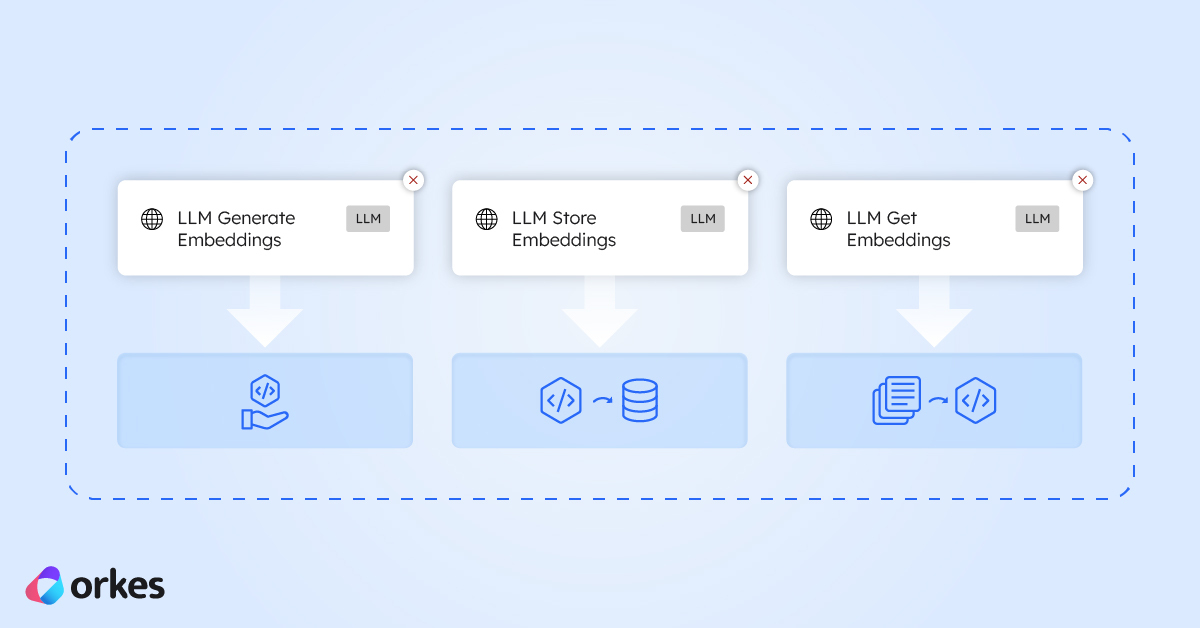
Here are the three Orkes Conductor tasks that make it easy to work with embeddings in your workflows.
This task take any text you give it (like user queries, product descriptions, support tickets, logs, or documents) and converts it into an embedding to represent its meaning in numbers.
For example, if you have a workflow with a user input "I want to change my password", the task generates an embedding for that sentence and returns it in the result field, like this:
{
  "result": [
    0.015542618,
    -0.042827383,
    0.005124084,
    0.017521484,
    -0.0012842973,
    -0.0012122194,
    0.022370363,
... // Ellipses here because the vector is a long list
    0.017246278,
    0.038476497,
    -0.025659736,
    0.01224014,
    0.027992439,
    0.0032615254,
    0.003109179
  ]
}
The above list of numbers represents the vector’s dimensions. Each number is one dimension of the embedding.
Like this you can store the embedding in a vector database of your choice as part of your workflow.
Once you’ve generated your embeddings, this task lets you save them to a vector database so you can actually use them.
Store the embeddings in a vector database (Conductor has integrations with Pinecone, Weaviate, Postres, and MongoDB) so your workflows can efficiently index and search through large volumes of text or data.
Feel free to look more into how to integrate each one in the docs as well. Each database has its own little quirks, but the docs walk you through exactly how to set up whichever one you choose.
Retrieve the closest or most relevant embeddings for tasks like semantic search (e.g., “find me similar errors”), recommendations (“customers who wrote this review also liked…”), or intelligent routing.
While going through the docs you may have noticed that there is a task called LLM Search Index, which is used to search a vector database as well.
The difference between the two tasks is:
| Task | You provide | What it does | Best for |
|---|---|---|---|
| LLM Search Index | Natural-language text query | Generates a new embedding and searches the vector DB | Semantic search from plain text |
| LLM Get Embeddings | An existing embedding vector | Searches the vector DB using that exact embedding | Reusing embeddings or performing repeated lookups |
Embeddings open the door to smarter workflows from semantic search to recommendations to intelligent routing (also referred to as semantic routing). With Conductor’s built-in tasks for generating, storing, and retrieving embeddings, you can add these capabilities pretty quickly.
If you’re ready to experiment, extend an existing workflow, or build something new, Conductor gives you a straightforward way to work with embeddings at any scale. Try it out and see how quickly you can turn ideas into real, production-ready AI features.