AGENTIC ENGINEERING
Vector Databases 101: A Simple Guide for Building AI Apps with Conductor

Maria Shimkovska
Content Engineer
Last updated: November 26, 2025
November 26, 2025
5 min read


.png)
Dec 4, 2025

Dec 2, 2025
Nov 25, 2025
Join thousands of developers building the future with Orkes.
Vector databases explained simply and how Conductor makes working with them simple and straightforward by integrating with popular vector databases like Pinecone, Weaviate, and Postgres.
Quick Answer: Vector databases are a type of database to store unstructured data (think images, audio, text, emails, social media posts) and a place to retrieve it quickly and semantically. “Semantically” just means based on semantics or meaning, rather than the exact words. For example, a search for “friendly dog” can return photos of golden retrievers even if the words “dog” or “golden retriever” never appear in the file name or metadata
The slightly more involved answer is, vector databases are types of databases built specifically to store and search high-dimensional vectors.
High-dimensional vectors are just numerical representations of complex data like text or images. A vector, in this context, is simply a long list of numbers. It looks something like this: [0.41, -1.22, 0.03, 2.18, 0.77, -0.55, ... ].
Each number acts like a coordinate (similar to x, y, z on a graph) that captures one tiny aspect of the meaning or visual feature of the data.
High-dimensional just means the list is really long. So instead of 2 or 3 numbers like x, y, z you might have 128, 768, or even 1,536 numbers. More numbers means there is more room to capture subtle details of the data like images, audio, or text.
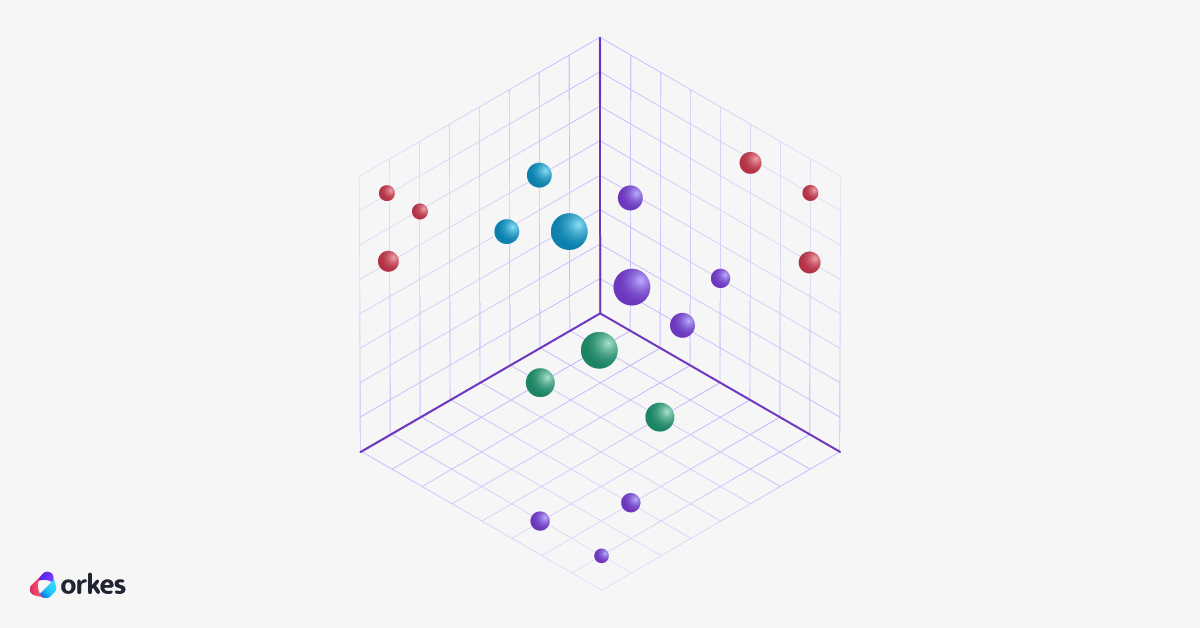
When you generate vectors for lots of similar things like pictures of dogs, let's say, they end up close together in this multi-dimensional space. Those groups are called clusters and they represent data with similar meaning. That’s what allows vector databases to quickly find the most meaningful matches to your search.
The illustration below shows a three-dimensional space ([x, y, z] so something like [0.41, -1.22, 0.03]). This is a pretty small example, but it shows the idea. Each circle is a data point. Circles closer to each other are similar in meaning. You can imagine how complex a 128-dimensional space might look like…or maybe not. It’s pretty rough to visualize, but you can at least get that it’s very intricate.
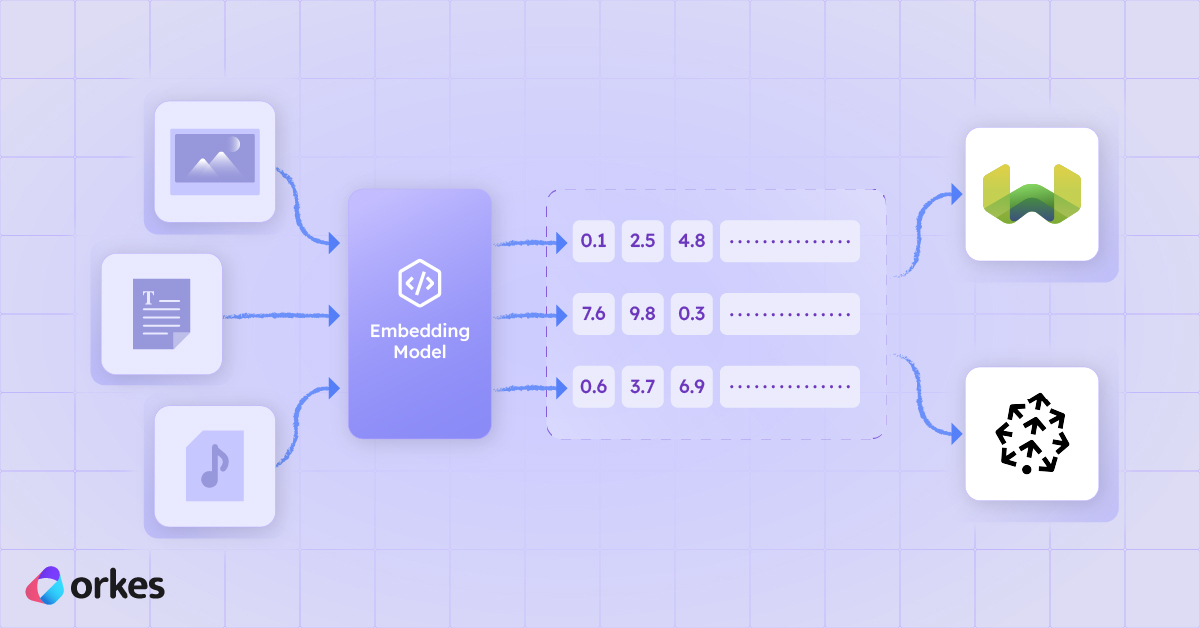
So how do we get these numbers (vectors)? You have machine learning models that turn data like sentences or pictures into long lists of numbers like [0.12, –0.87, 3.44, ...], which are called embedded vectors. Because similar things (similar sentences, similar images) end up with similar lists of numbers, the database can quickly find “things like this one.”
The computer can then compare them and find what's most similar to a query against that database. A vector database stores millions of these complex lists and is optimized to index and search them.
These two lists look similar, so the vector database can say "These sentences mean similar things". This allows you to compare different data types, like comparing images to audio or text.
Different data types, like the images and audio and text, are called multi-modal. So if a machine learning model supports the conversion of different types of data into embedded vectors, they are called multi-modal models (a tongue twister, I know). Vector databases allow for multi-modal storage pretty easily, because at the end of the day, the data is all converted into a list of numbers.
They are considered to be semantically similar. So visually these two points on a really complex graph will be close together. A vector database can get a similar data point by calculating the distance between them.
Vector databases are built with equations to calculate the nearest other point to a point you are querying. So you can say "Find me an image of a kitten" and a vector database will then convert your text to an embedding and then search for an embedding similar to that.
Here are real enterprise scenarios where embeddings (embeddings is the term used for vectors that represent meaning, so they are linked to something. Rather than just a list of random numbers) and vector databases unlock capabilities that traditional keyword systems simply can’t.
A classic one is a recommendation system, like recommending similar items (either purchased by users or similar items to the one the logged in user is looking at) in e-retails sites, and finding help articles and internal knowledge bases.
You need specialized databases to store these vectors because traditional databases don't have the same capabilities to store, but most importantly, to retrieve these embeddings efficiently.
Modern multi-modal (supporting multiple data types, like images and text) models learn from huge collections of image-and-caption pairs. As they train, they figure out how to represent both images and text as vectors in the same high-dimensional space. In that space, meaning matters more than specific words.
So images of cats end up hanging out near the vector for “cat,” while totally unrelated stuff like cars, bananas, whatever, lands far away.
When you upload an image, the model turns it into an image embedding, which captures the image’s visual meaning. Then that vector gets stored in the database.
When you type a text prompt, the model turns that into a text embedding that lives in the same space.
At that point, the vector database’s job is pretty straightforward: it looks for the stored image vectors that sit closest to your text vector. The closer they are, the more similar their meaning, so you get back images that best match what you typed.
Long story short: the smart part is the embedding model, which learns deep connections between words and visuals. The vector database just does super-fast similarity search on top of that, letting you find the right images even if they were never labeled by hand.
Vector databases are optimized to store and search large collections of high-dimensional vectors for similarity. They don't tend to create embeddings (although some do offer that as an option), but they are built to store them and index them for efficient search.
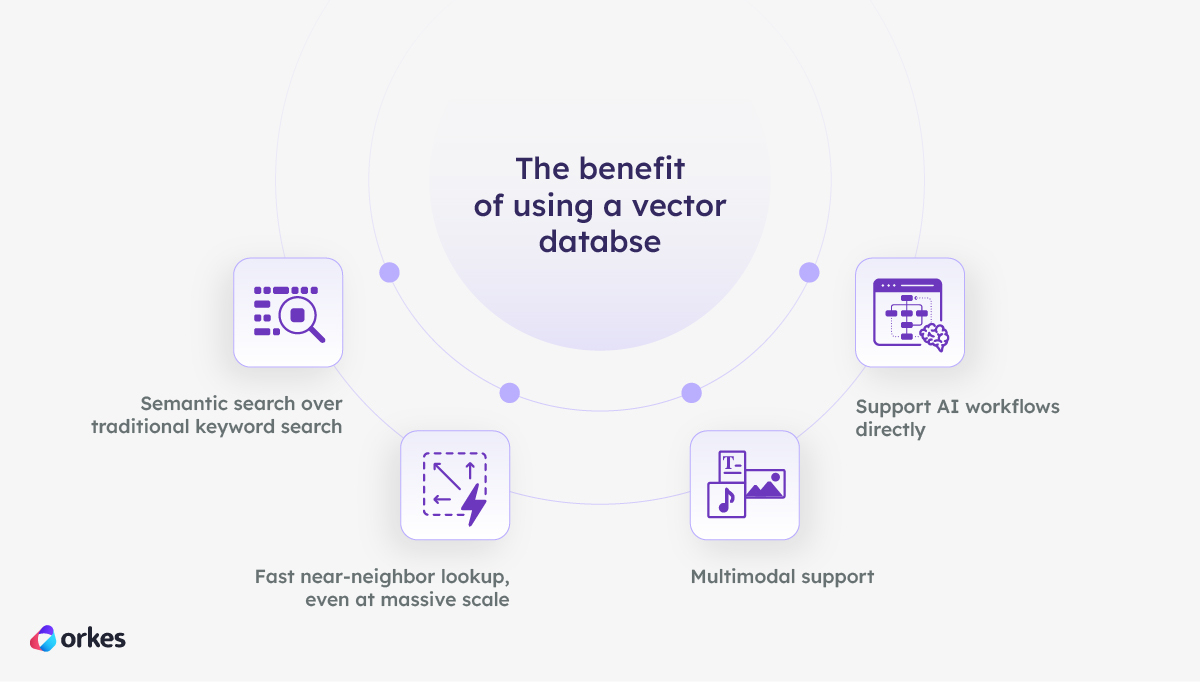
Traditional search matches on strings like "Find me all data that includes the word cat".
Embedded vectors let you use semantic search, which is searching based on what something means.
So an example would be if you query “tech conference” in an app and it finds relevant document sections even without the exact phrasing. It will understand that you are looking for tech conferences even if none of the documents returned have the keyword “tech conference” in them.
Again, this is possible because embeddings capture semantics (meaning), and vector DBs let you search those embeddings really fast. Much faster than a traditional database like a relational database can.
Vector databases are also built with specialized algorithms to make it possible to search millions, or even billions of vectors in milliseconds with an indexing approach called approximate nearest neighbor (ANN).
You can store text, images, video, code and much more in one database because they are all converted to the same type anyway (vectors).
Vector databases are integrated into typical AI pipelines like RAG, multimodal search, recommendations, content moderations, similar-user matching, hybrid search with LLMs and much more.
They are pretty much becoming an AI infrastructure layer.
Orkes Conductor makes working with vector embeddings and vector databases simple and automation-ready.
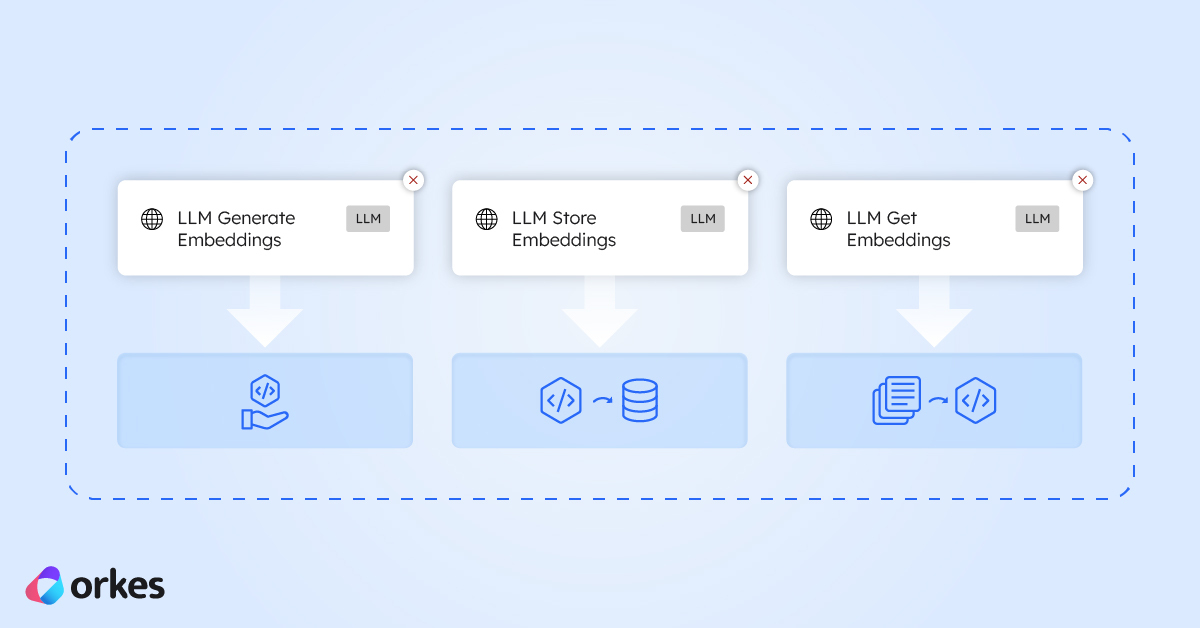
With Conductor you can generate embeddings as a workflow step using our LLM Generate Embeddings task, push embeddings to your chosen vector database (like Pinecone, Weaviate, Postgres, or MongoDB), you can query vectors inside your workflow, and enrich your LLM prompts with context pulled from your vector database.
To help with that Conductor has built-in embedding tasks, which you can read about in this article explaining exactly that, and easy integration with vector databases.